How to Create a Product Attribute in Kavio Ecommerce
To create Kavio Ecommerce Attributes, open the Admin Panel and then follow the steps below.Add Attributes
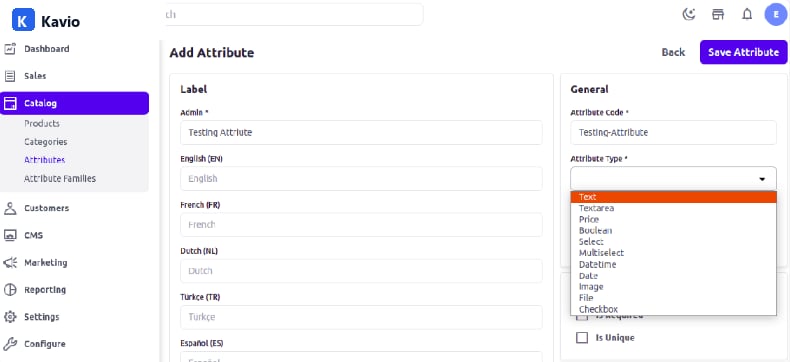
Click on Catalog >> Attributes >> Create Attributes from your admin panelAttribute Types
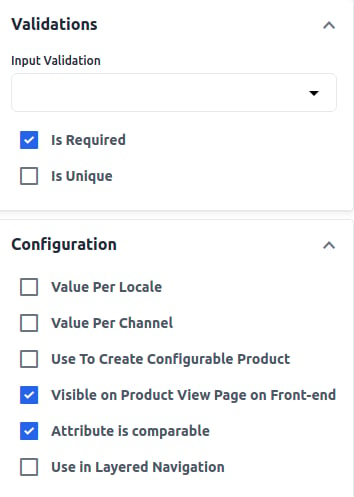
Enter Label, Attribute Code, and select Attribute Type.- Attribute Code: Enter the Attribute Code to identify the Attribute.
- Attribute Type: Kavio Ecommerce provides various attribute types such as Text, Textarea, Price, Boolean, Select, Multi-select, and DateTime.