

Cache Actions
The Cache Management section provides options to clear and rebuild different types of caches.Clear Cache Options
Use these actions to remove cached data and force the application to regenerate it on the next request.- Clear All Cache – Clears all available caches.
- Clear Config Cache – Removes cached configuration data.
- Clear Application Cache – Clears the application cache.
- Clear Compiled Cache – Removes compiled classes and files.
- Clear Event Cache – Clears cached event discovery data.
- Clear Route Cache – Removes cached route definitions.
- Clear View Cache – Clears compiled Blade view files.
Build Cache Options
Use these actions to pre-build caches and improve application performance.- Rebuild All Cache – Rebuilds all supported caches.
- Cache Config – Generates configuration cache.
- Cache Routes – Generates route cache.
- Cache Views – Compiles and caches view files.
How to Execute Cache Actions
Step 1: Navigate to Configure > General > Cache Management. Step 2: Click the desired cache action button under either Clear Cache or Build Cache. Step 3: Review the execution results in the Output Console section. Step 4: A success message and console output will be displayed once the operation is completed successfully.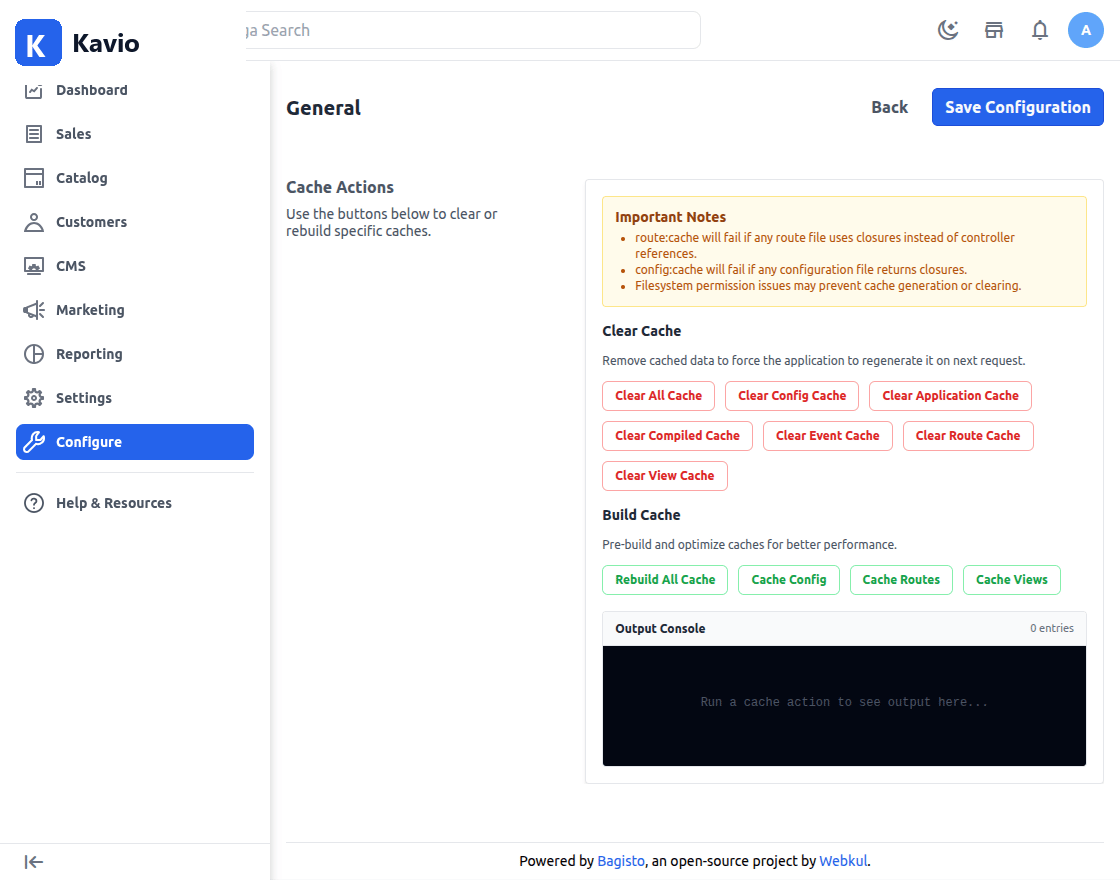
Important Notes
- Route caching will fail if any route file uses closures instead of controller references.
- Configuration caching will fail if any configuration file returns closures.
- File permission issues may prevent cache generation or cache clearing operations.