

Enable GDPR Compliance Settings
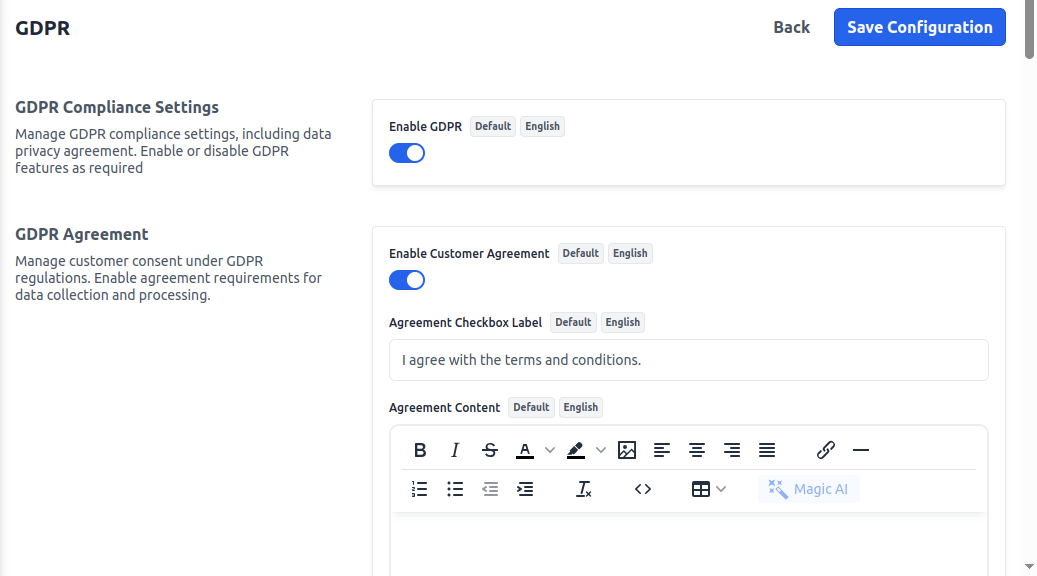
To add, go to Admin Panel and click on Configure >> GDPR >> Enable GDPR.This section empowers store owners to configure GDPR-related policies and efficiently manage customer data requests. Key features include:
- GDPR Request button appears on the customer’s profile page in the store frontend.
- Handling customer requests for data deletion or updation.
GDPR Agreement
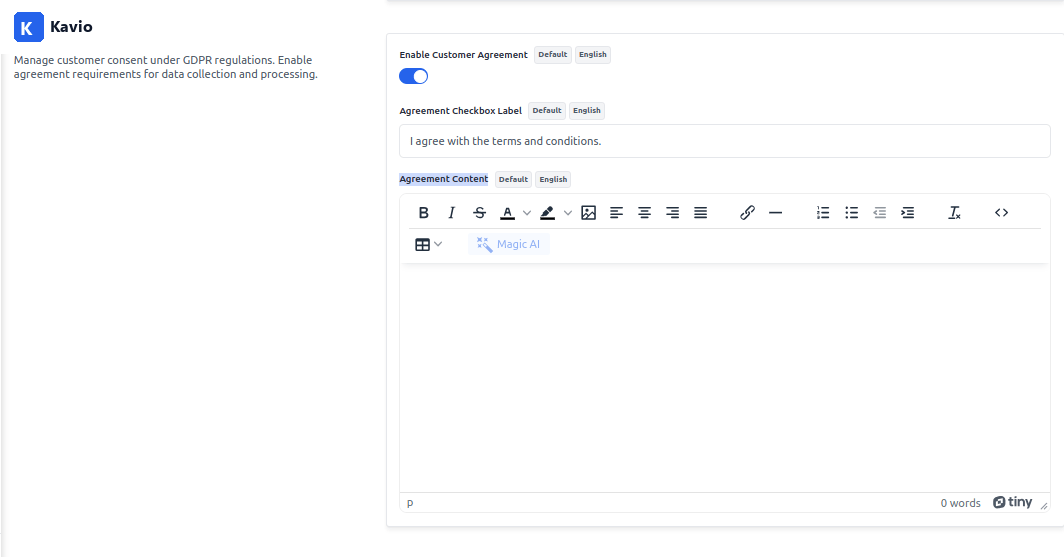
To add, go to Admin Panel and click on Configure >> GDPR >> Enable Customer Agreement.The GDPR Agreement button is used to obtain explicit consent from customers before they proceed with account registration, checkout, or other data-related actions. It ensures:
- Users acknowledge and accept the store’s privacy policy.
- Consent is recorded for legal compliance.
- Agreement Checkbox Label – I agree to the terms and conditions and the privacy policy.
- Agreement Content – By checking this box, you consent to the processing of your personal data in accordance with our GDPR-compliant privacy policy.
Cookie Notice Settings
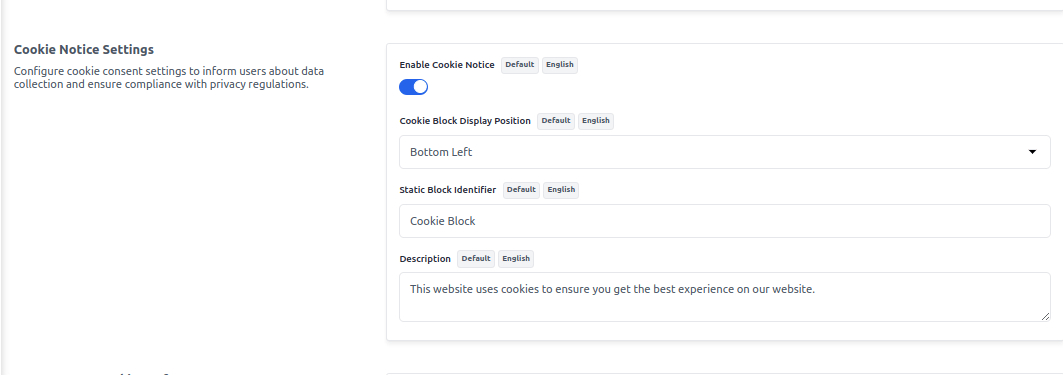
To add, go to Admin Panel and click on Configure >> GDPR >> Enable Cookie Notice.This section allows store owners to configure how the cookie notice appears to users. Key settings include:
-
Cookie Block Display Position – Determines where the cookie notice will appear on the page. Available options:
- Bottom Left
- Bottom Right
- Top Left
- Top Right
- Center
- Static Block Identifier – Specifies a custom static block to display within the cookie notice.
- Description – A customizable text field to describe the purpose of cookies, privacy details, and how users can manage their preferences.
Manage Your Cookie Preferences
This section enables users to personalize their cookie settings based on their preferences. The available categories include:- Strictly Necessary – Essential cookies required for the website to function properly, such as session management and security features. Cannot be disabled.
- Basic Interactions & Functionalities – Support user interactions, such as chat features, form submissions, and navigation improvements.
- Experience Enhancements – Improve user experience by remembering preferences, such as language selection or customized layouts.
- Measurements – Analytics cookies to track website performance, user behavior, and traffic insights for optimization.
- Targeting & Advertising – Cookies used for personalized marketing, ad targeting, and retargeting based on user behavior and preferences.