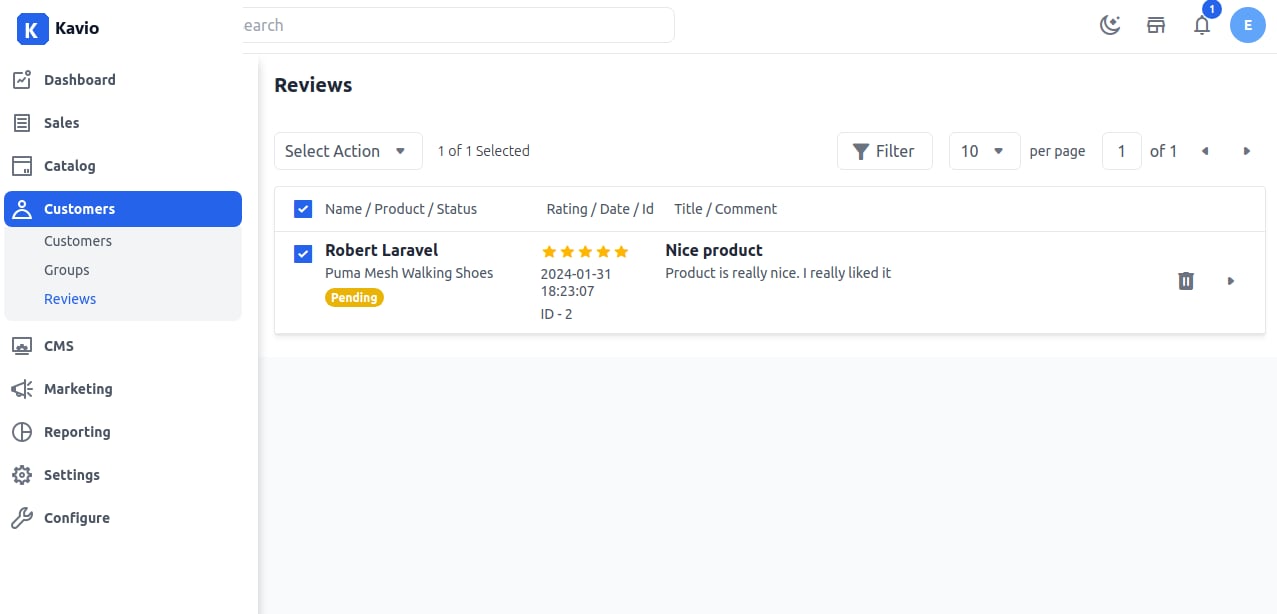
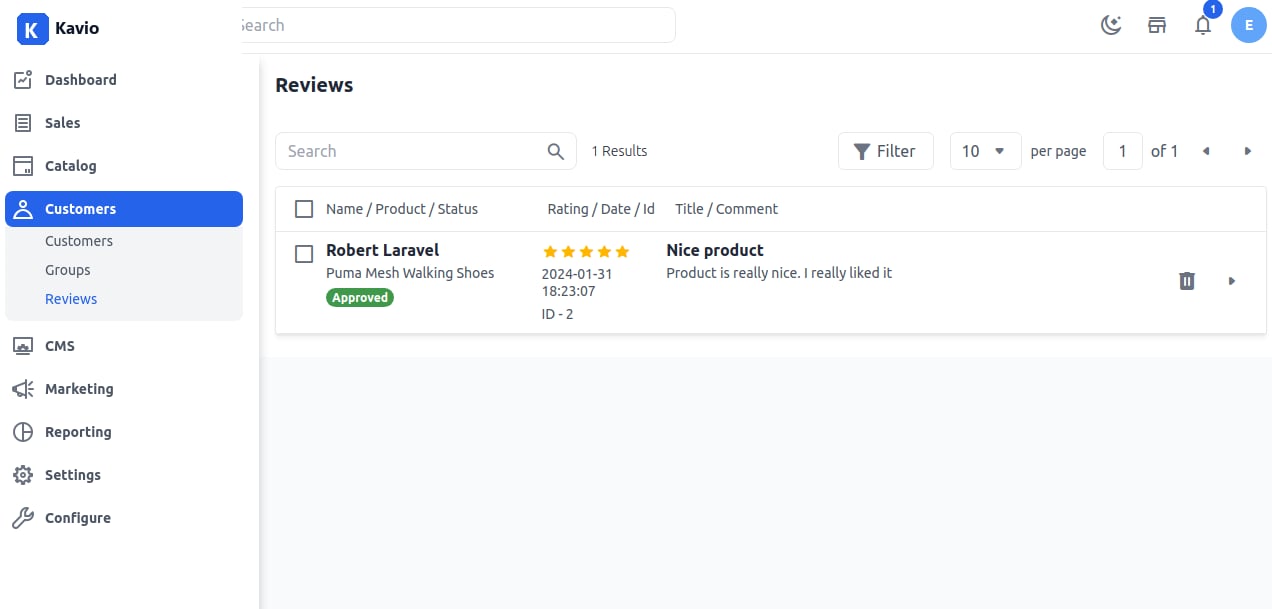
Reviews create credibility for your products, and increased credibility means increased sales. It helps other customers with the selection of the product. A customer review is an evaluation of a product or service made by someone who has purchased and used or had experience with a product or service. Customer reviews are a form of customer feedback on electronic commerce and online shopping sites.

To add Reviews in Kavio Ecommerce follow the below steps:

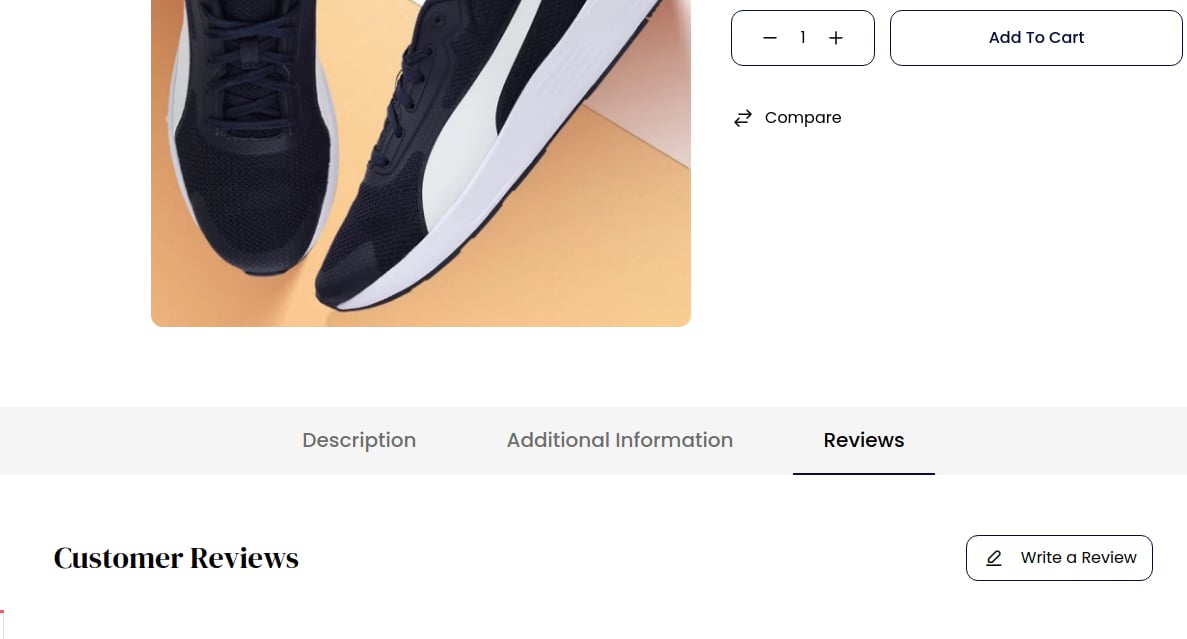
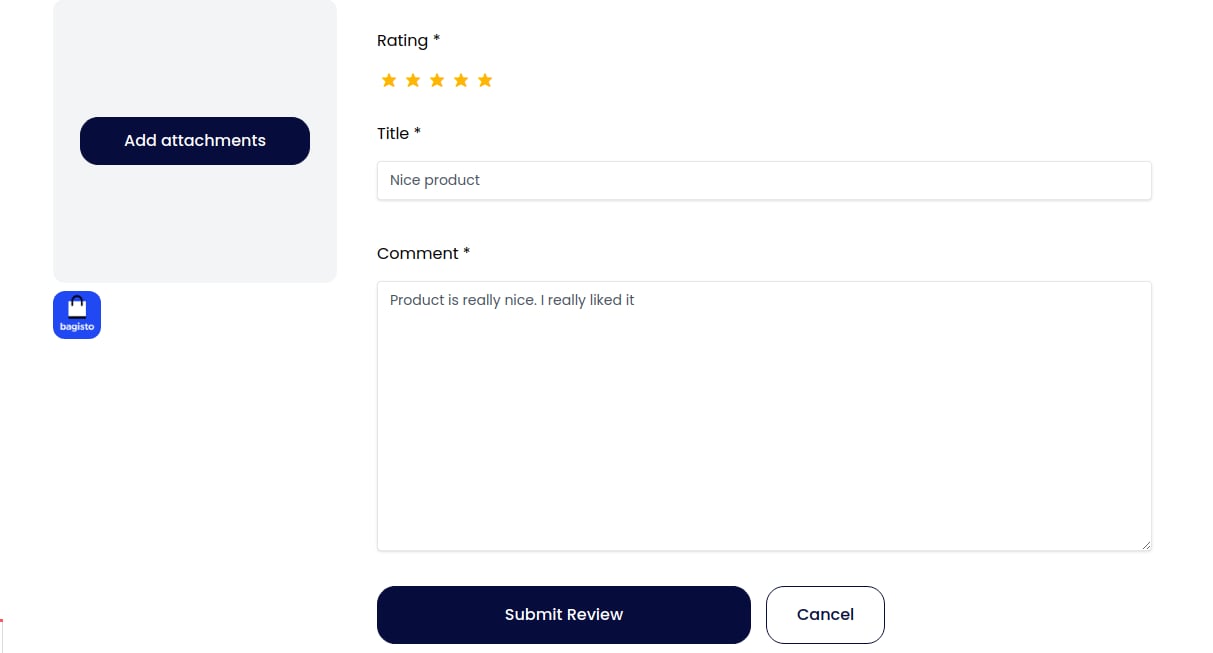
Step 1: After logging in as a customer, go to the product detail page of the storefront. You will see the Review section as shown in the image below. Review Section Step 2: Click on the Write Review button, fill in the Star Rating, add the Title, write the comment, attach a file (if required), and then click Submit Review as shown below. Write Review Step 3: After adding the review, open the Admin Panel of Kavio Ecommerce and navigate to Customers >> Reviews. The review submitted by the customer will be visible as shown below. Admin Review Step 4: You can also change the Status of the review to Pending, Approved, or Disapproved and then click the Save button. Step 5: After saving, you will be redirected to the Review Grid where you will see the new review record successfully registered. Review Grid Output
By following the above steps, you can easily manage Customer Reviews in Kavio Ecommerce.