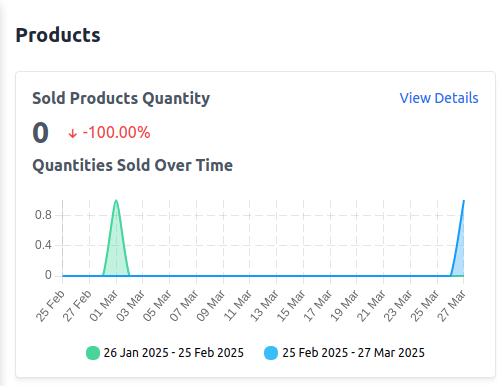
A) Sold Products Quantity
This report displays the total number of products sold within the selected date range. Key Metrics: 1) Total Sold Products: The total quantity of products sold during the specified period. 2) Percentage Change: A comparison with the previous period to track growth or decline. 3) View Details: Click to see detailed sales data.B) Quantities Sold Over Time
Provides a timeline-based view of product sales to help identify sales trends. How to Use:- Compare sales performance across different date ranges.
- Identify peak sales periods.
- Adjust inventory and marketing strategies based on demand.
C) Products Added to Wishlist
Shows how many products have been added to customers’ wishlists over the selected period. Key Metrics: 1) Total Wishlist Additions: The number of times products were added to wishlists. 2) Percentage Change: A comparison with the previous period. 3) View Details: Click to see a list of the most wished-for products.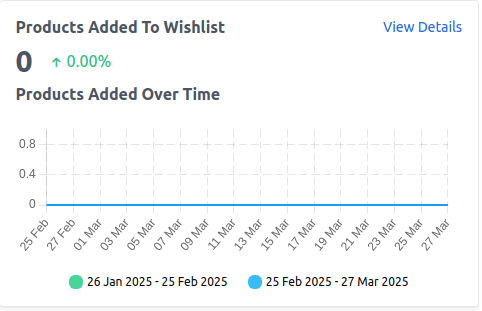
D) Top Selling Products by Revenue
Lists the products that have generated the most revenue within the selected period. Key Metrics: 1) Product Name: The name of the top-selling product. 2) Total Revenue: The total revenue generated by the product. 3) View Details: Click to see a detailed revenue breakdown.
E) Top Selling Products by Quantity
Displays products that have been sold the most in terms of quantity. Key Metrics: 1) Product Name: The most frequently purchased product. 2) Total Units Sold: The total number of units sold. 3) View Details: Click to see a breakdown of sales by product.
F) Products with Most Reviews
Shows which products have received the highest number of customer reviews. Key Metrics: 1) Product Name: The product with the most reviews. 2) Total Reviews: The number of reviews received. 3) View Details: Click to view customer feedback and ratings.
G) Products with Most Visits
Tracks which products have received the highest number of visits from customers. Key Metrics: 1) Product Name: The most viewed product. 2) Total Visits: The total number of times the product page has been viewed. 3) View Details: Click to analyze traffic sources.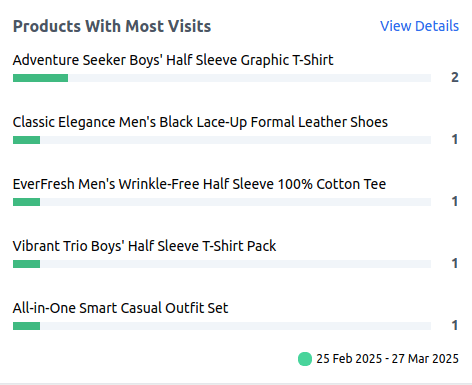
H) Last Search Terms
Tracks the most recent search terms used by customers on the store. Key Metrics: 1) Search Term: The keyword or phrase searched by users. 2) Total Searches: The number of times the term has been searched. 3) View Details: Click to analyze customer search behavior.
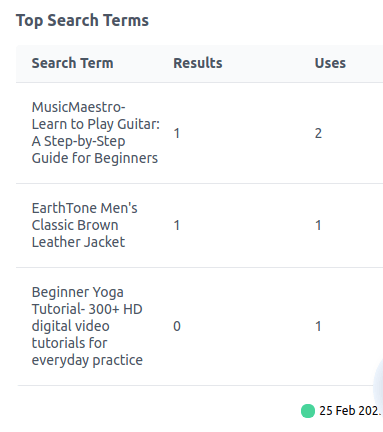
I) Top Search Terms
Displays the most frequently searched terms in the store within the selected date range. Key Metrics: 1) Search Term: The most commonly searched keyword or phrase. 2) Total Searches: The number of times the term has been used.