Root Category
Kavio Ecommerce comes with a default root category, i.e., Root, but you can also create your own root category. The Root Category is not visible on the front end because it acts as a container to contain the categories to be displayed on the website.Steps to Create a New Root Category in Kavio Ecommerce
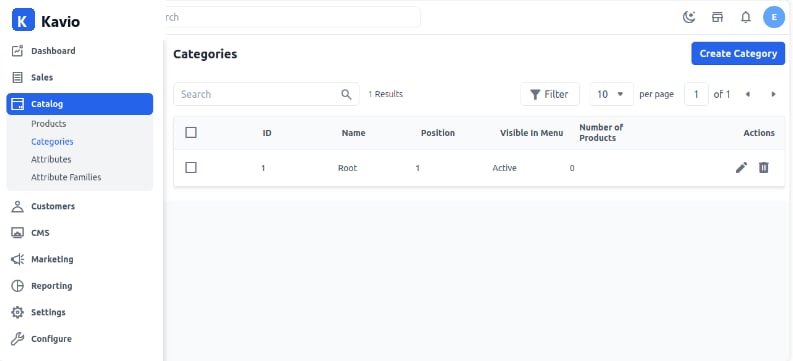
- Click on Catalog >> Categories >> Create Category as shown in the image below.
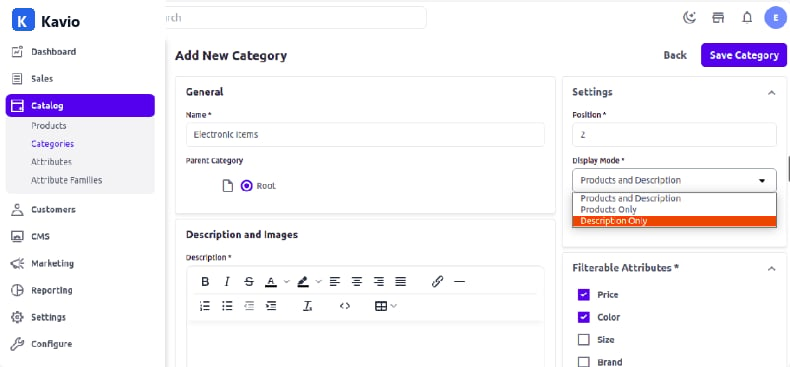
- Enter the general values like name, position, and description, and add images.
- Display Mode - Display mode is about which content detail is visible on the category page. There are three options:
- Product and Description
- Product
- Description
- Product and Description: When you set the display mode to “Product and Description,” then the product and description about the category both will be visible on the front end.
- Description: When you set the display mode to “Description,” then only the category description will be visible on the front end.
- Product: When you set the display mode to “Product,” the product will be visible on the front end.
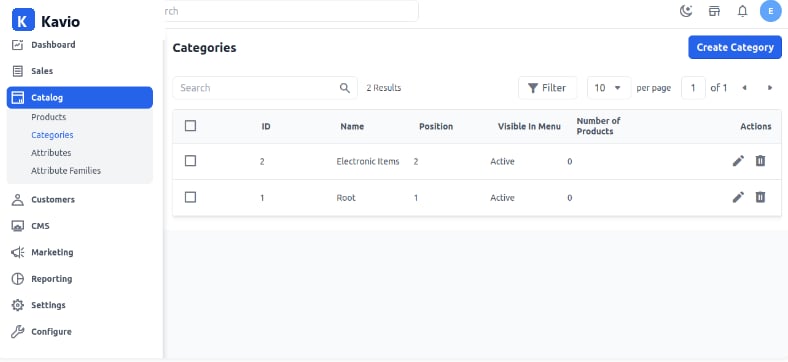
- Save the category, and a new category will be created by the name of Electronic Items as shown in the image below.
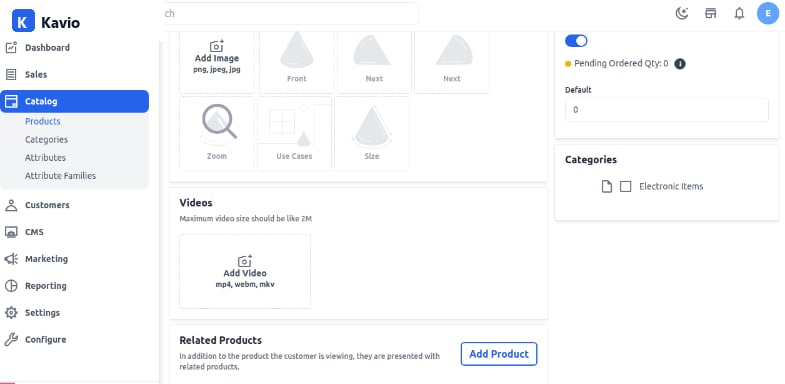
- Now check the product edit page while creating a product, and you will be able to see the newly created category there.