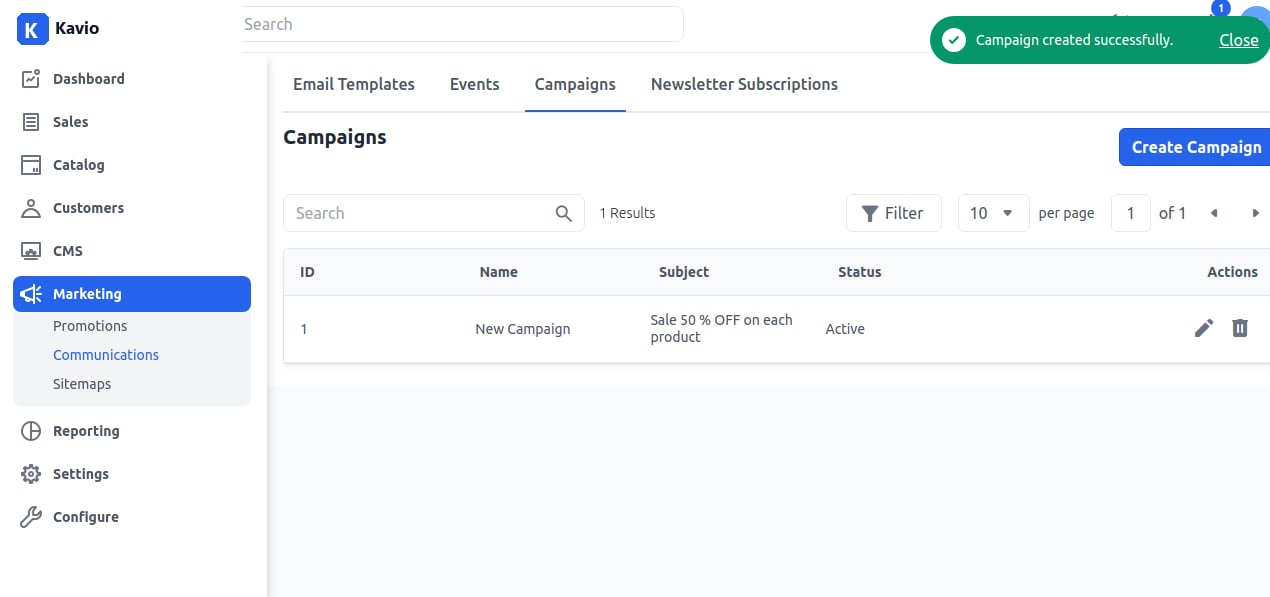
Add Campaigns
On the Admin panel, go to Marketing >> Communications >> Campaigns and click on Create Campaign as shown in the below image.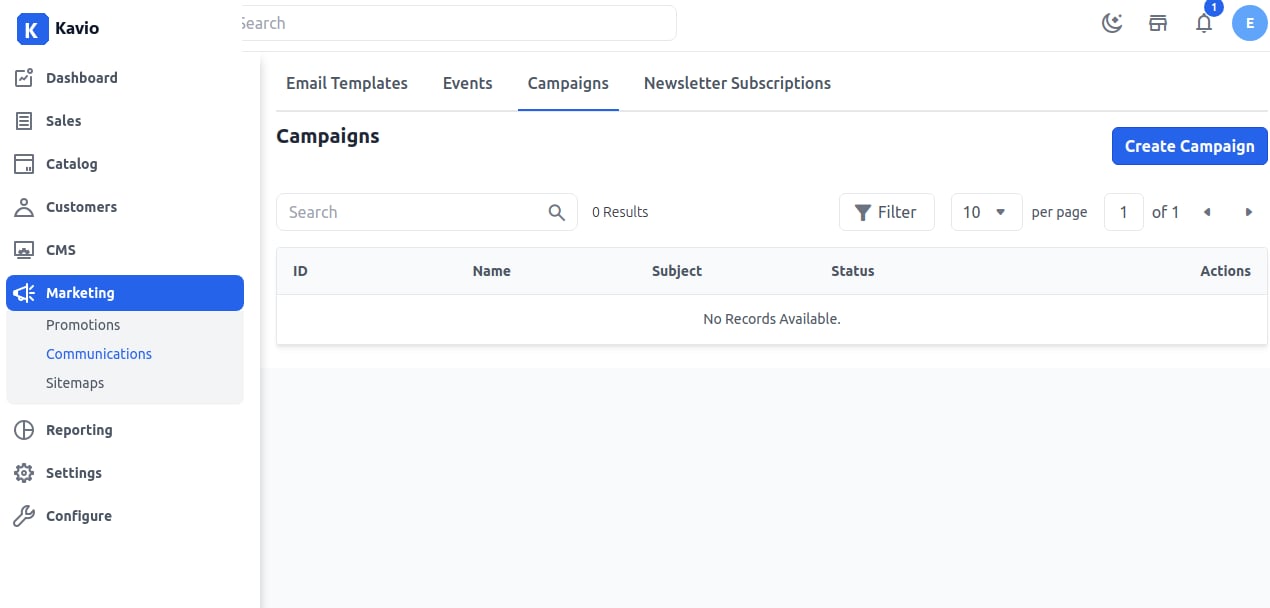
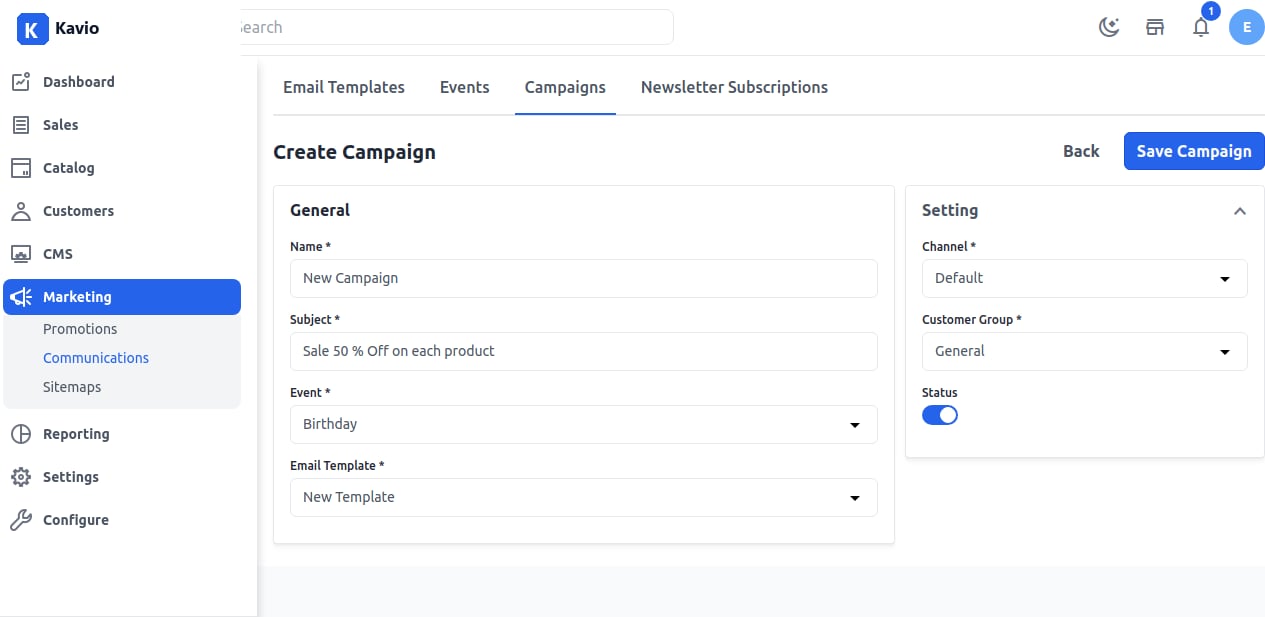
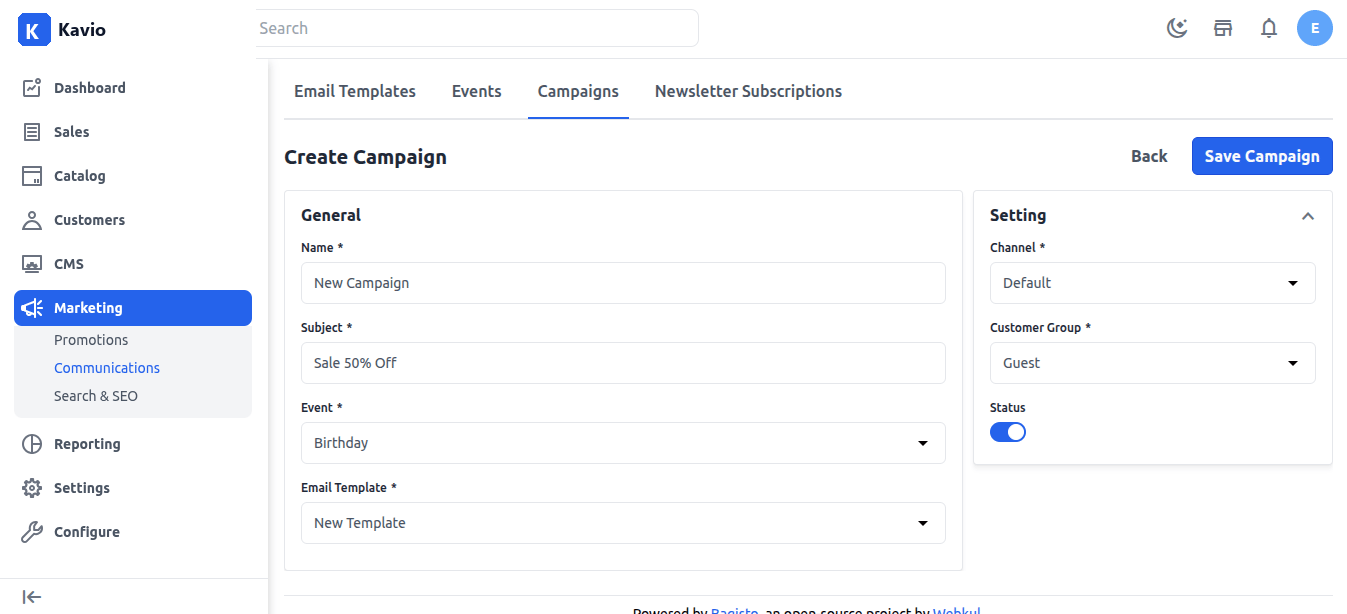
Fill in the necessary fields
1. Name – Add the name of the campaign. 2. Subject – Add the subject according to your requirements. 3. Events – Select the event for which you want to apply the campaign. You can also add your own events here. 4. Email Template – Select the Email template you want to use for sending campaign emails. 5. Channel – Select the channel. 6. Customer Group – Select the customer group to which you want to apply the campaign. By default, there are 3 customer groups:- Guest
- General
- Wholesale
Step 4
Now you will be able to see the new Campaign as shown below.